Developing with WinCC OA in Docker Containers

Running industrial SCADA systems on developer machines can sometimes lead to a cluttered host operating system, dependency conflicts, or difficulties in managing multiple software versions. WinCC Open Architecture (WinCC OA) is a powerful platform, and running it inside a Docker container for development is an elegant solution to these challenges.

In this post, we’ll walk through how to build a WinCC OA container image on your favorite Linux OS (like Ubuntu) and use a convenient access script to keep your projects organized and run GUI tools like the Console and Project Manager seamlessly.

Step 1: Building the WinCC OA Docker Image

Before running the container, we need to build the Docker image. Navigate to the directory where you downloaded and extracted the WinCC OA installation files (which should also contain your Dockerfile), and run the following command:

docker build --build-arg USER_ID=$(id -u) --build-arg USER_GID=$(id -g) --build-arg USER=$(whoami) --build-arg BASE_IMAGE=debian:bookworm -t winccoa322 .

Why these build arguments? By matching the container’s user ID and group ID with your host user, we avoid file permission issues when editing files and mapping project volumes.

Step 2: Managing the Container with run-container.sh

To automate starting, stopping, and entering the container, we use a custom shell script called run-container.sh. This script works on standard Linux installations as well as macOS using Colima (as a lightweight Docker runtime) and XQuartz (for X11 GUI forwarding).

This script takes care of several important development tasks:

    • Persistent Container Lifecycle: It checks if the container already exists. If it is stopped, it starts it. If it doesn’t exist, it creates a new one using the winccoa322 image. Since the container runs with sleep infinity, it remains active in the background.
    • Volume Mapping: Your host user home directory is mounted to the container (-v "$HOME:/home/$USER:rw"). This ensures your projects, configurations, and license files persist on the host system and can be edited with your favorite host IDEs (like VS Code).
    • Reusable Sessions: You can run the script to enter the running container terminal via docker exec -it winccoa bash, perform your tasks, and exit without stopping the container or losing state.

Note on configuration using a .env file: The script checks if a .env file exists in its directory and loads its environment variables (using set -a and source). This allows you to easily customize variables such as CONTAINER_NAME, WCC_OA_IMAGE, or WCC_OA_VERSION without having to modify the shell script itself.

You can download the full script here:

Step 3: Running Graphical Tools (Console & Project Manager)

WinCC OA relies on graphical interfaces for project management and engineering. The script passes your host’s DISPLAY environment variable and network configuration to the container so that X11 applications can render on your host screen.

However, X11 security will block the container from connecting by default. To authorize the container, you must run the following command in a terminal session on your host machine before starting GUI tools:

xhost +

Once authorized, you can run commands like startPA inside the container, and the Project Manager window will appear on your desktop as if it were running natively.

Summary

Running WinCC OA in a container gives you a clean, isolated environment for SCADA development. Volume mapping keeps your code safe on the host machine, and X11 forwarding gives you access to the full suite of graphical development tools without the overhead of a virtual machine.

🧌 We just added a simple scripting feature to MonsterMQ.com

We just added a simple scripting feature to MonsterMQ.com.

Instead of building a MonsterMQ workflow for every small transformation, you can now create simple JavaScript scripts that run directly in the broker. For many use cases, that is much easier: subscribe to one or more input topics, process the data, publish the result.

And it goes beyond MQTT topics: scripts can also use database connections to read and write data directly from PostgreSQL, MySQL, Neo4J, making it possible to enrich, correlate, or persist data directly.

There is also AI generation support built in. Just describe what you want, for example: “take the JSON payload of the trigger topic and publish every single JSON item to a separate topic on output/expand/<item>” and the script gets generated for you.

Personally, I think this makes the MonsterMQ workflows unnecessary. For a lot of broker-side automation, a small script is simpler and easier to understand, especially when AI can help generate it.

#MQTT #MonsterMQ

MonsterMQ-Scripts-1
MonsterMQ-Scripts-2
MonsterMQ-Scripts-3

πŸš€ Sunday Feature: MonsterMQ goes Kafka!

A new experimental feature has landed in MonsterMQ: It is acting now as a Kafka Broker, so a Kafka Client can subscribe (and publish, if allowed) to streams. Streams are mapped to MQTT topics. So MQTT topic value changes are going into those streams.

Before anyone asks: No, this is not a replacement for Apache Kafka. πŸ™‚

The queueing is currently backed by databases such as PostgreSQL, MongoDB, and SQLite, so it won’t compete with Kafka in terms of throughput and scalability.

But for many smaller and medium-sized use cases, it brings streaming concepts directly into the broker:

  • πŸ”Ή MQTT and Kafka-style messaging in one server
  • πŸ”Ή Persistent queues stored in a database
  • πŸ”Ή Simple deployment without additional infrastructure
  • πŸ”Ή Easy integration with the existing MonsterMQ ecosystem

As always, this is a first draft – not yet in the version or docker image!

Feedback is welcome!

MonsterMQ-Kafka-0
MonsterMQ-Kafka-1
MonsterMQ-Kafka-2

πŸ‘‰ MonsterMQ.com

πŸš€ We hear your voices!

At our Developer Days in Vienna, someone asked:

πŸ‘‰ β€œWhen will we get a command-line tool for WinCC OA?”

The discussion was around MCP Servers, AI, and how well LLMs can work with command-line tools. Building a CLI for WinCC OA had already been on my mind for quite some time. But hearing it directly from a customer pushed me to finally start.

As a first step, I created a Rust API for WinCC OA. Partly for the Rust fans out there, and partly because, to be honest, I personally prefer Rust over C++ (Caleb Eastman).

Based on that API, I’ve now built a first version of a WinCC OA CLI tool.

πŸŽ₯ Check out the video and let me know:

What commands would you like to see in a WinCC OA CLI?

🧌 Monster MQ Broker just became a Redis Server!

πŸ”₯ MonsterMQ now speaks Redis. MQTT clients and Redis clients connect to the same broker – and to the same piece of storage.

πŸ‘‰ Publish a value via MQTT. Read it with a Redis client. Update it via Redis. It arrives as an MQTT message.

Same data. Same broker. Two protocols.

Disclaimer: not all Redis functions are already implemented.

πŸ”— monstermq.com

MonsterMQ-Redis-1
MonsterMQ-Redis-2

Resch & Frisch Ofen: Programm-Temperaturen

FΓΌr die, die es schon immer wissen wollten: Ich hatte es nicht im Netz gefunden, daher habe ich die Temperaturen beim Resch&Frisch Ofen selber gemessen. Hier sind die Programme und die dazugehΓΆrigen Gradzahlen:

Programm	Temperatur
Programm 1	125Β° / 130Β°
Programm 2	190Β°
Programm 3	180Β°
Programm 4	170Β°
Programm 6	160Β°
Programm 7	160Β°
Programm 12	240Β°

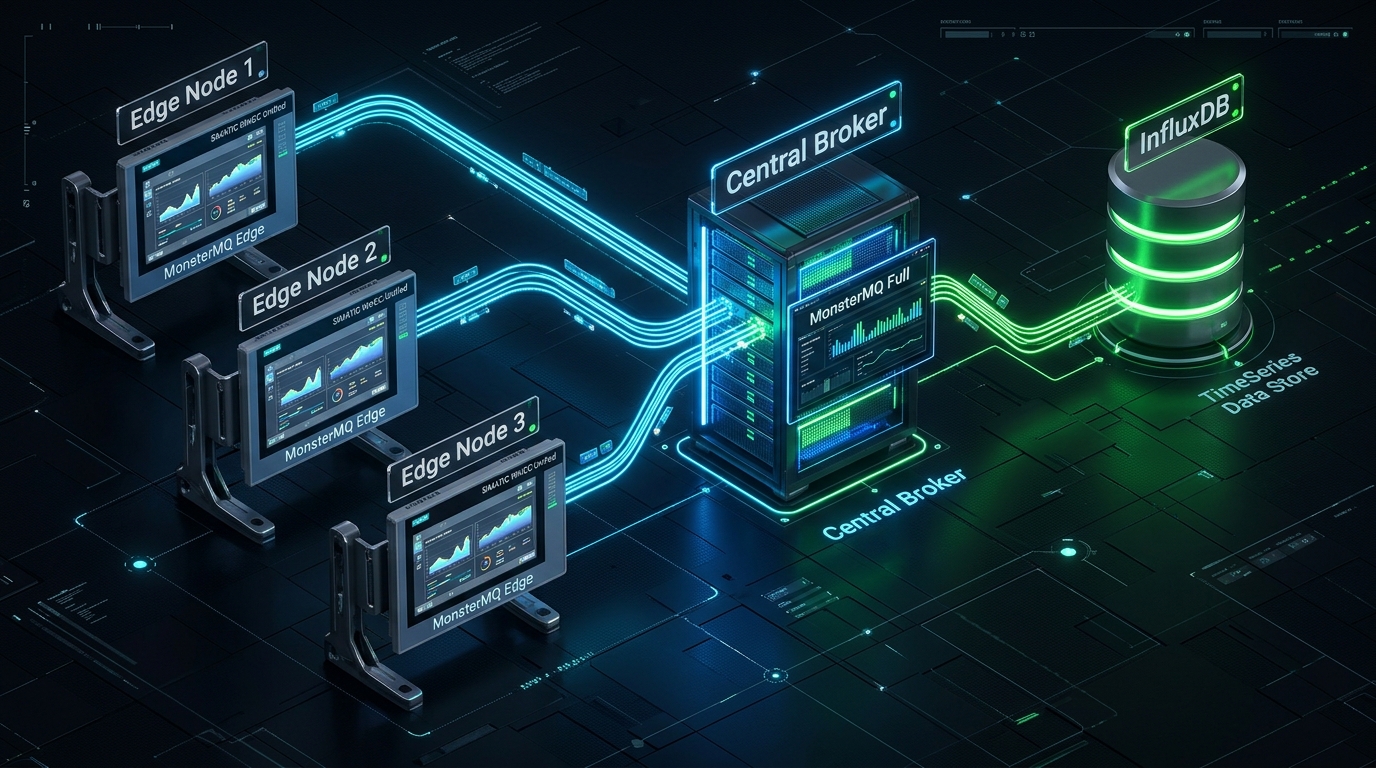
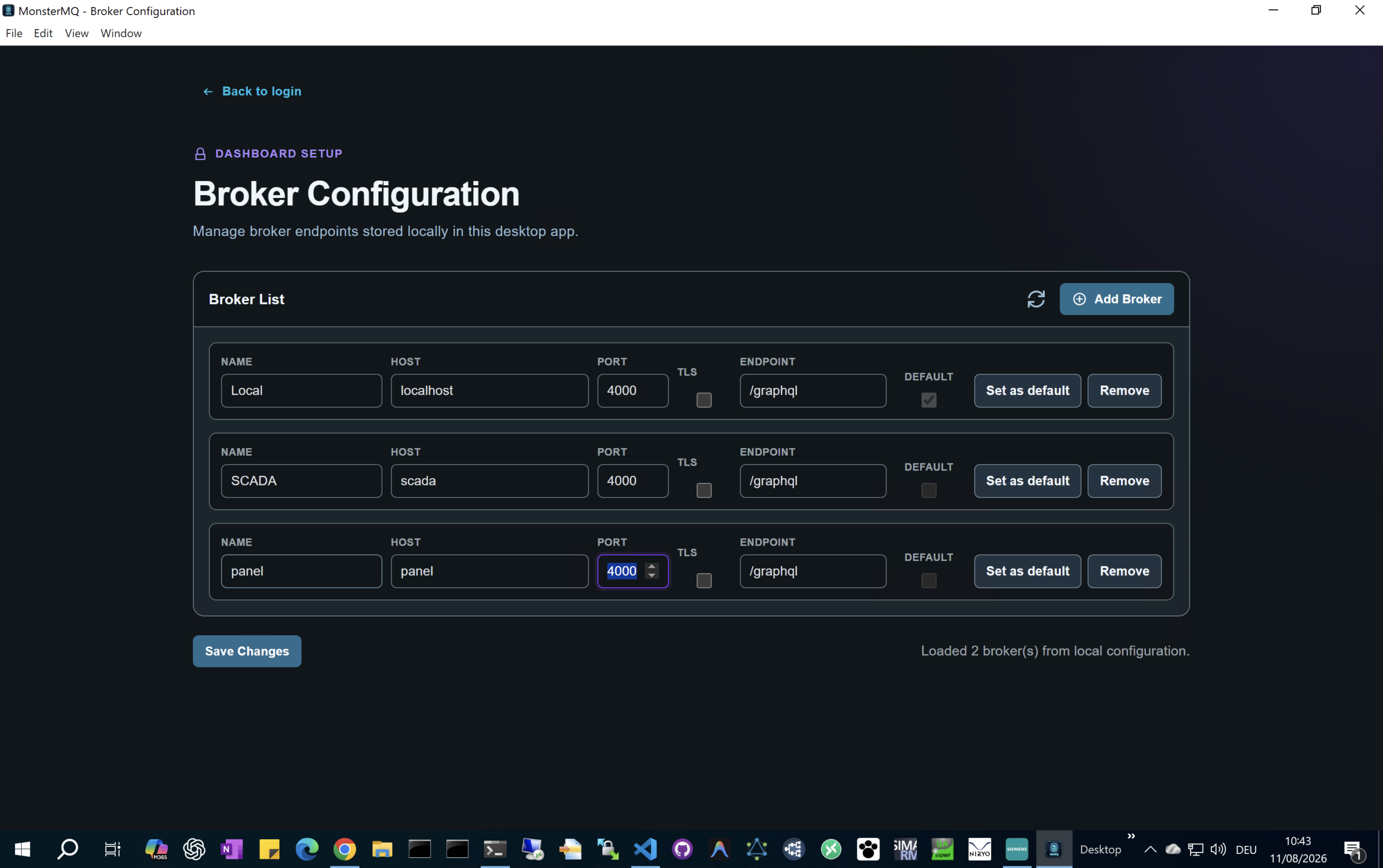
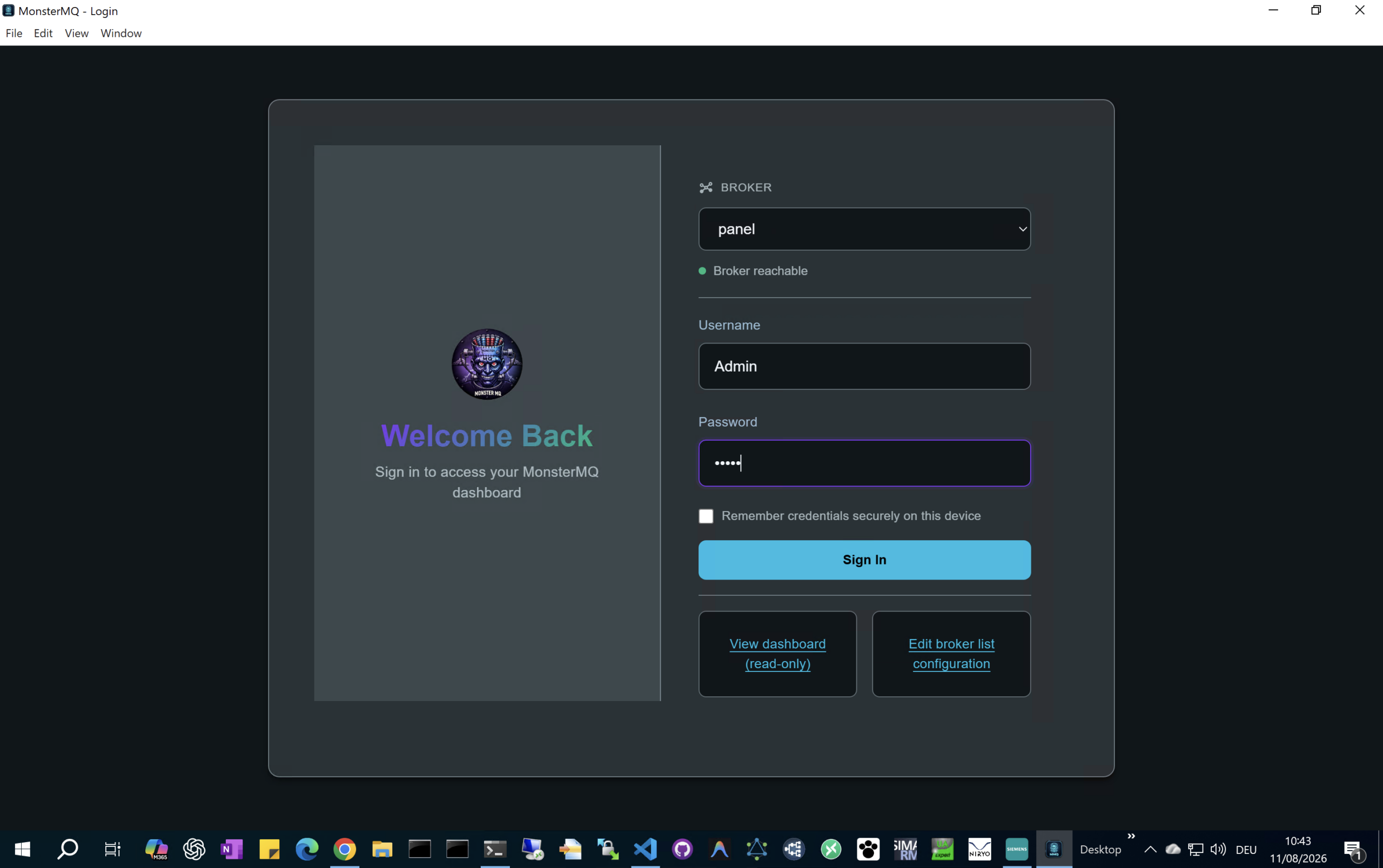
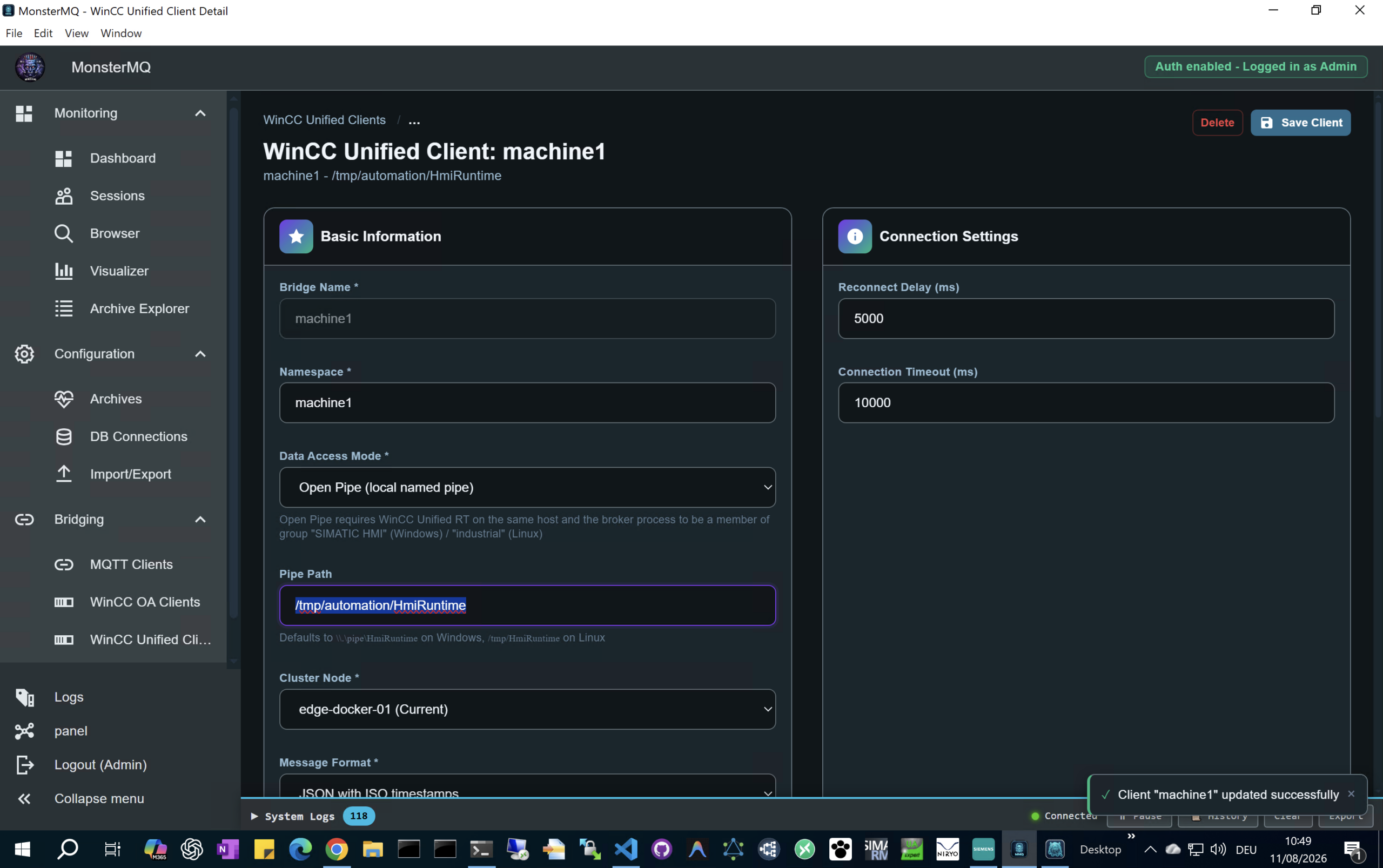
🧌 New feature for MonsterMQ and MonsterMQ-Edge!

Database connections for archives can now be configured at runtime directly in the dashboard – no restart needed.

πŸ‘‰ This is especially important for MonsterMQ-Edge running on a Unified Comfort Panel – you can now configure archiving online, without touching the panel (MMQ config file).

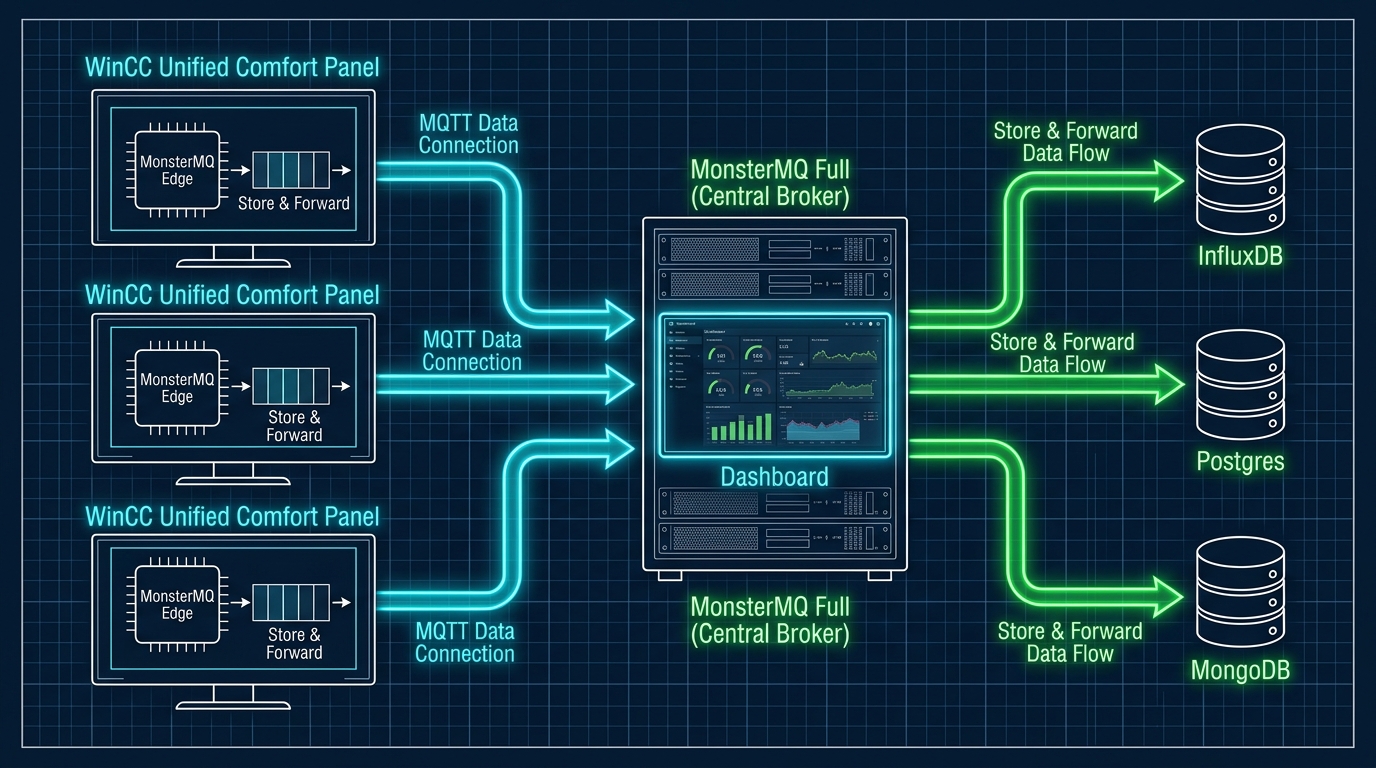
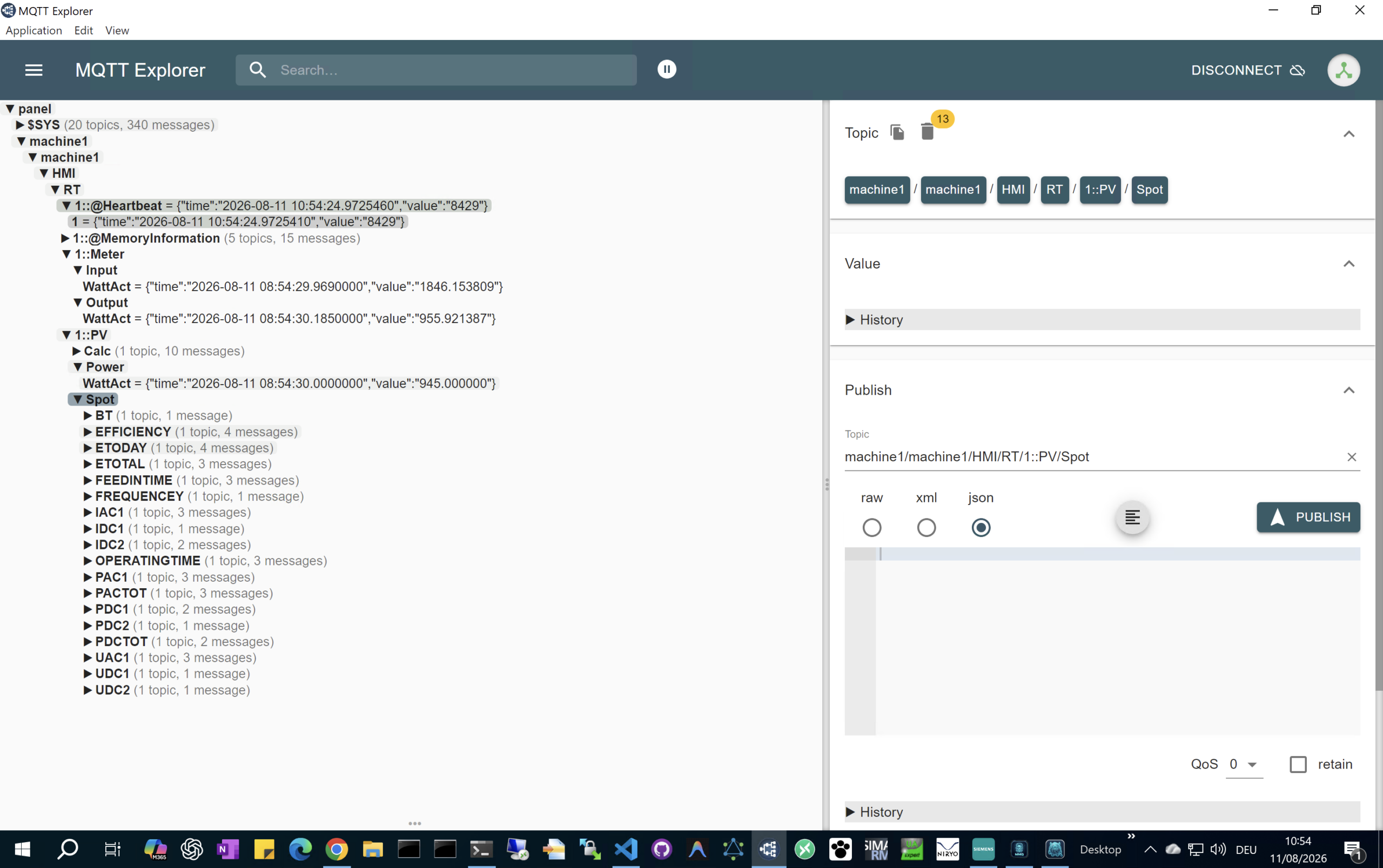
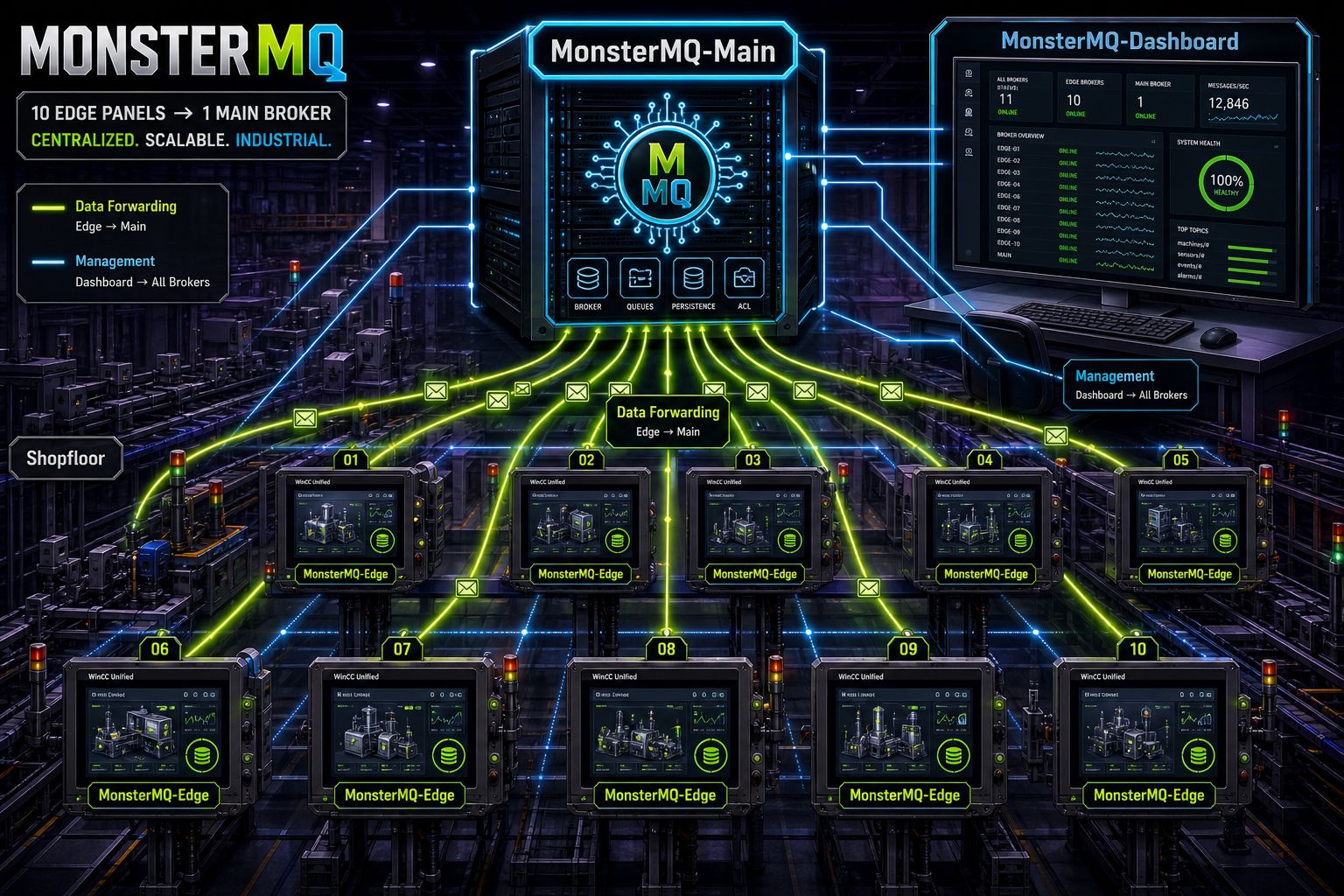
The result: your data from WinCC Unified Panels can be easily archived centrally to PostgreSQL or MongoDB, configured and managed remotely.

Or forward the data to a central full MonsterMQ instances to collect the data from all your panels.

And here’s the bigger picture: MonsterMQ and MonsterMQ-Edge share the same dashboard, same GraphQL interface. One central place to manage both – from the full broker down to the tiny monster running on your panel. πŸ˜…

Let me know if you want it as an Edge App, which can be deployed on the Panel. But remember: you need an Edge License to run Edge on the Panel.

MonsterMQ-Edge still has limited functionality compared to the full broker – but it’s growing.

πŸ”— monstermq.com

#MonsterMQ #WinCCUnified #EdgeComputing #MQTT #OpenSource

MonsterMQ-Edge-and-Main
1777719431057
1777719431143
1777719432495

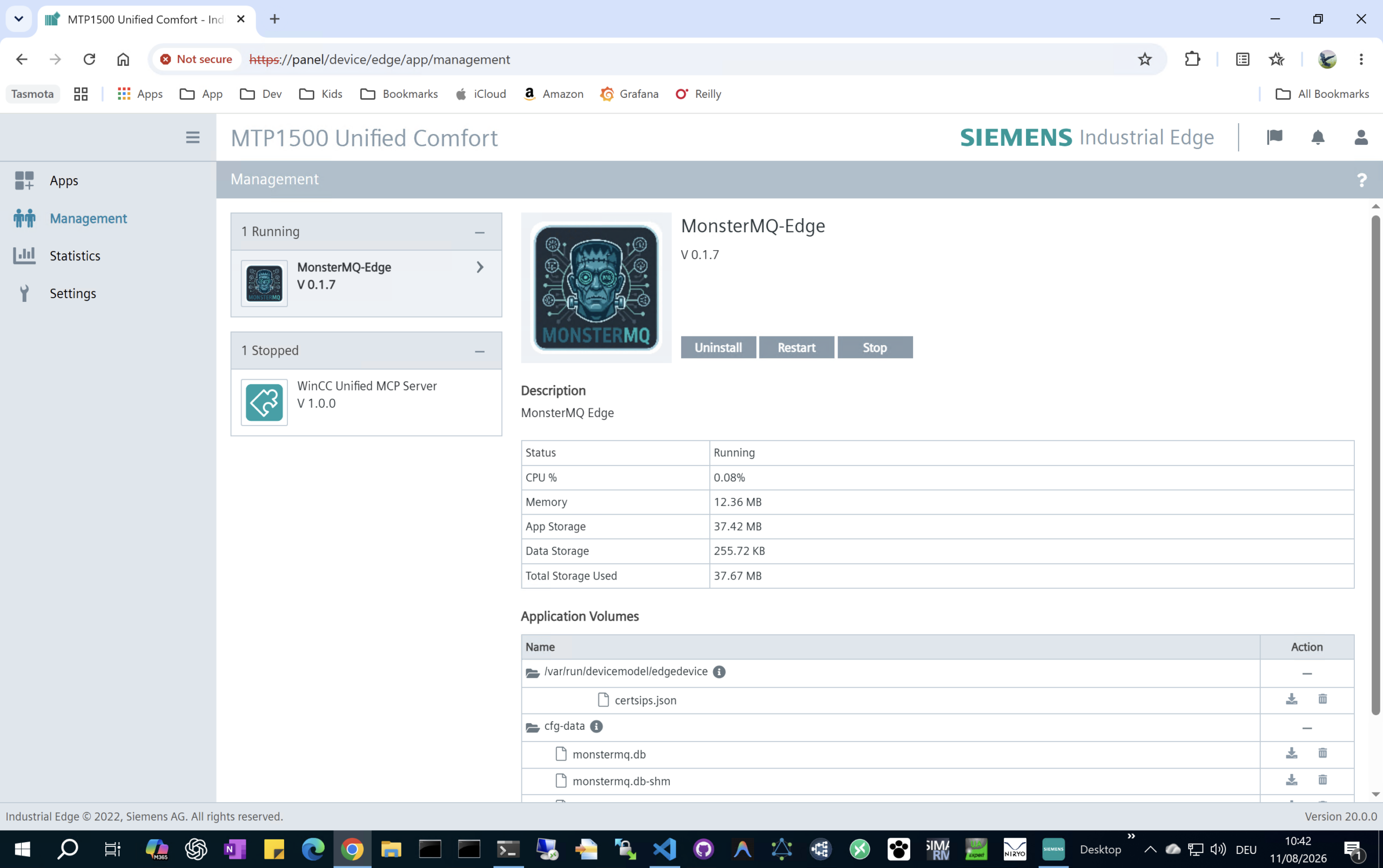
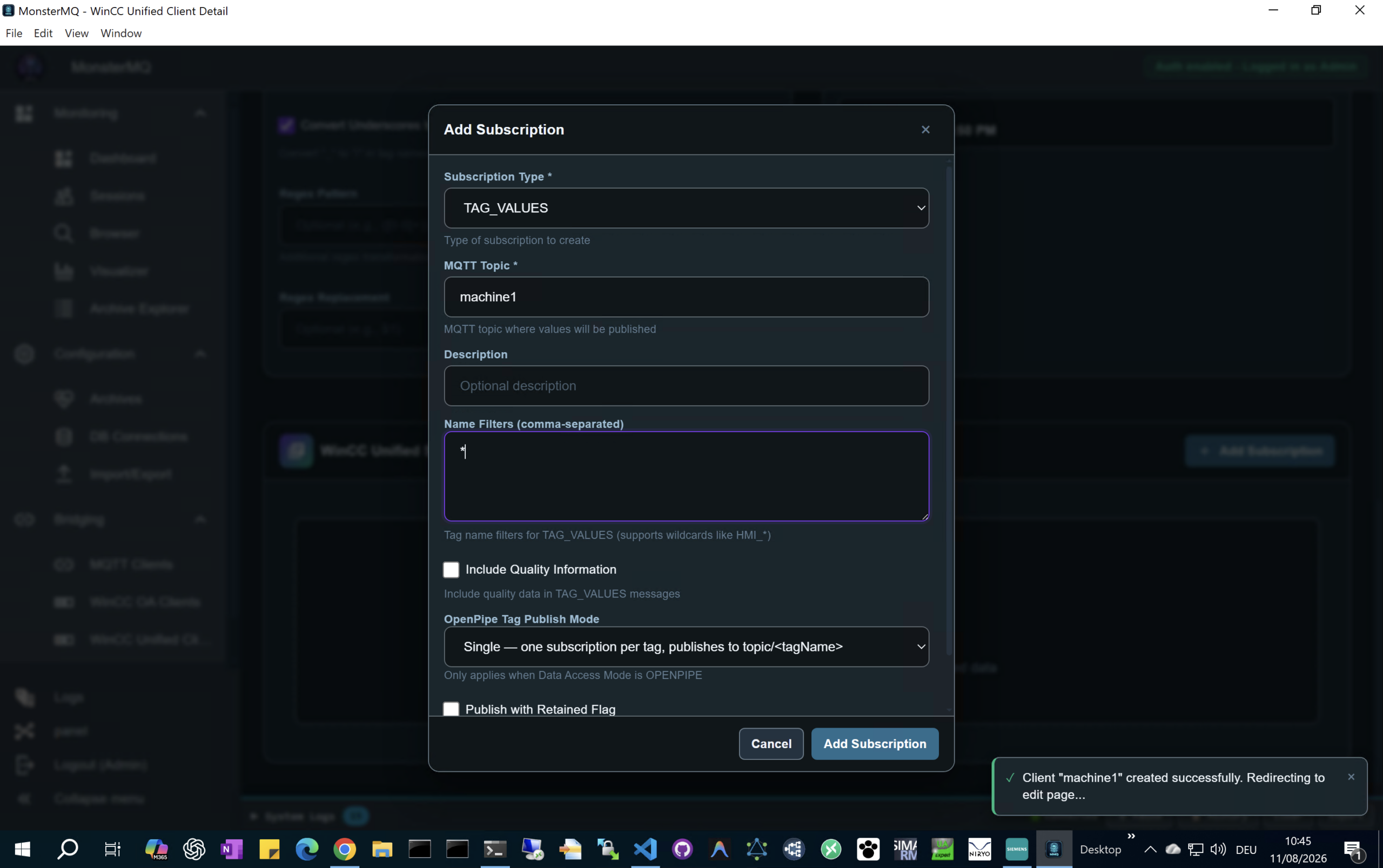
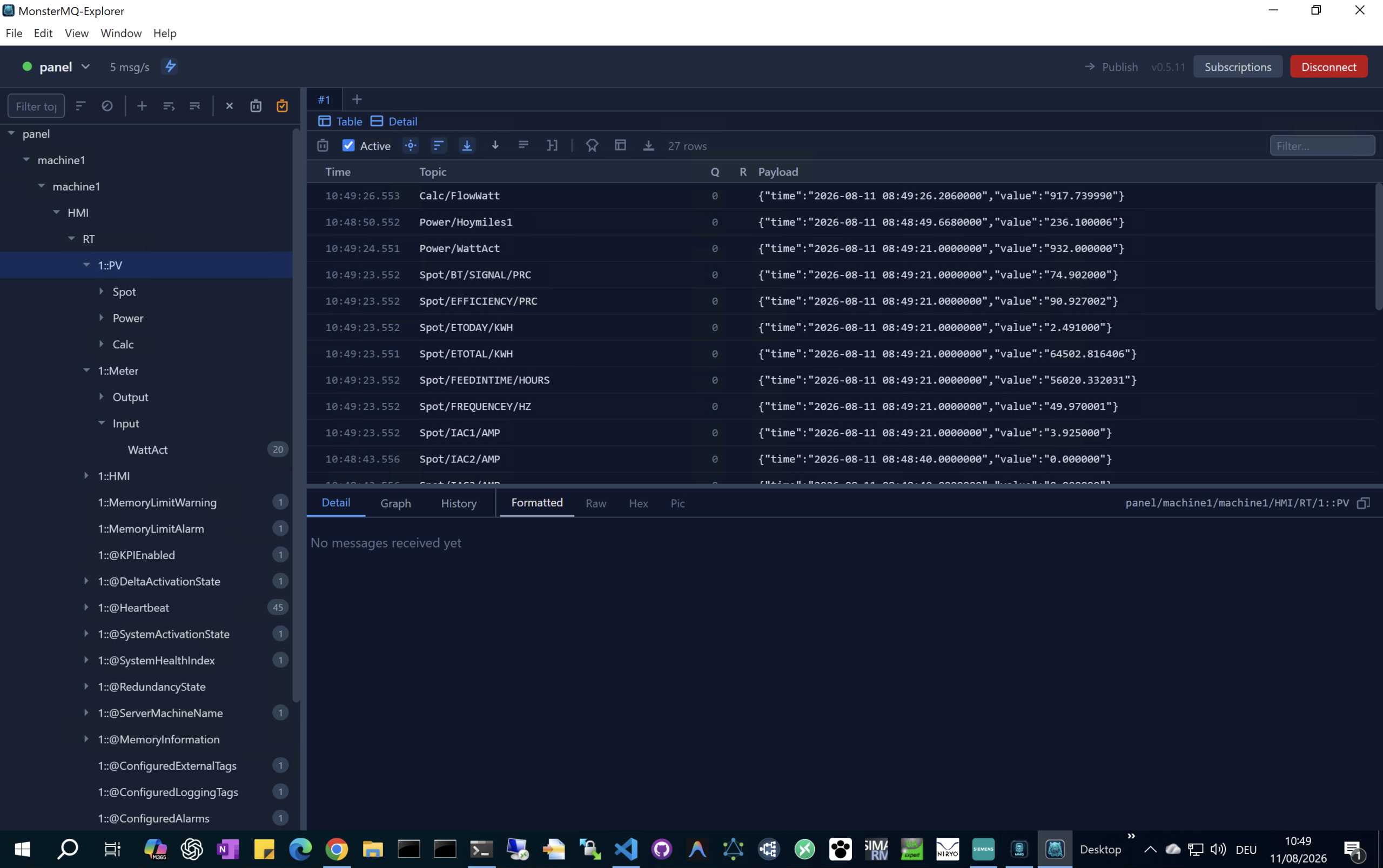
🧌 A tiny MonsterMQ is running on industrial panels!

It turns your existing panels to a MQTT enabled device!

MonsterMQ-Edge is a lightweight MQTT broker – the Docker image is just 36MB. I have poured it into a SIEMENS Industrial Edge App…

Here’s what it does on the panel:

  • πŸ‘‰ Connects to the WinCC Unified Runtime
  • πŸ‘‰ Configurable tag publishing with wildcard support
  • πŸ‘‰ Configurable from a central MonsterMQ dashboard
  • πŸ‘‰ Store and forward to other MQTT brokers
  • πŸ‘‰ Archive data to Postgres or MongoDB
  • πŸ‘‰ … more will come …

Btw.: you can do the same with the full version of MonsterMQ with WinCC Open Architecture or with WinCC Unified running on the PC.

πŸ”— monstermq.com πŸ”₯ SIEMENS

Disclaimer: experimental state. But it is cool to see a tiny Monster running on a SIEMENS Panel.

#MonsterMQ #WinCCUnified #EdgeComputing #MQTT #OpenSource

1777581226974
1777581227091
1777581227318
1777581227775
1777581227827
1777581227928

🧌 Weekend project: a lightweight MonsterMQ broker for the edge!

Built in Go, based on another open-source project (Mochi MQTT), implemented to expose the same GraphQL interface as the full MonsterMQ broker and having the same storage backend (SQLite, Postgres, MongoDB).

What does that mean in practice? You can run a lightweight MonsterMQ instance at the edge and monitor and configure it from the same MonsterMQ dashboard and having the data in the same storage format. No separate tooling needed.

Current state:

  • πŸ‘‰ Single binary 25M
  • πŸ‘‰ In memory last value storage
  • πŸ‘‰ Archiver for SQLite, PostgreSQL and MongoDB.
  • πŸ‘‰ MQTT Bridge available to pub/sub from/to other brokers.
  • πŸ‘‰ Backend storage options: SQLite, Postgres or MongoDB
  • πŸ‘‰ Same GraphQL interface – compatible with the existing dashboard

Very early stage, and just an experiment for now. What do you think about it?

πŸ”— monstermq.com

#MonsterMQ #MqttClaw #MQTT #Edge #EdgeComputing #Go

1777269439611
1777269439866
1777269440074

🦞Little Monsters are crawling in MonsterMQ!

MonsterMQ can run AI Agents – triggered by MQTT topics or on a schedule, with direct access to broker data in the context, and support for MCP Servers (including the internal one).

The agent can publish data to other topics – and that can trigger the next little agent. πŸ”„

Is this a good idea? Honestly, I don’t know yet – this is purely for learning right now.